Posts

Showing posts with the label Snapchat

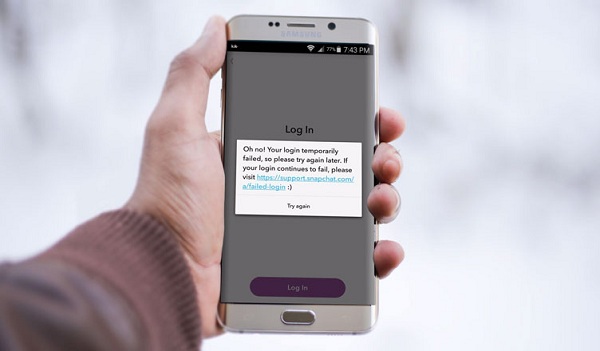
One Should Know How to Resolve A Login Fail Error on Snapchat
Image
Are you troubling from Login Fail error on Snapchat? There might be various reasons your Snapchat is being a jerk and not even giving them access to login to the Snapchat account or showing Login fail error on the screen. For these types of issues, we will provide you few solutions which allow you to get back to the amazing world of snap. Underneath are some steps which you have to follow in the same sequence as mentioned below. If you follow them in the way it appears on the screen will save lots of time and efforts. The steps are discussed below. Update the Snapchat App Reset your Network Settings Uninstall + Reinstall Steps to Resolve A Login Fail Error on Snapchat Troubleshoot A Login Error on Snapchat by following some of the best solutions which are mentioned below. Solution-1: Update the Snapchat App If you are troubling with the sign in problem on Snapchat, one of the simplest and handiest things you have to check that if any updates are pending. If yes, then ...

How to Save Snapchat Snaps and Stories

Image
Snapchat is an exciting and unique social media app. It allows you to connect with others through messages, snaps, and stories. Though, one thing that most of the users find annoying is that the snaps are no more there once you see them. We stumble upon some of the snaps that very good and wish to have them on our device. Even if you take the screenshot of the particular snap, the app will inform the other person that you took the screenshot. However, if you want to save the snaps and stories from Snapchat, there’s a way. The process is not that simple, but you can do it by through the process below. Here’s how can you do it. Get AZ Screen Recorder You can easily save any Snapchat video in your device by downloading the ideal screen recorder app from the play store. One of the best app for this purpose is the AZ Screen Recorder. After installing this app, open it in your phone, and you will see a floating icon on the screen. Tap on the camera icon over there to start r...

Snapchat will help you find the polling locations on Election Day

Image
By adding election-themed lenses and filters to push voters toward their polling locations through Snap Map on Election Day; Snapchat is getting ready for the US midterm elections on November 6th.  According to  Engadget , the filters are going to dress up your Bitmojis in an exceptional outfit on your Snap Map. These new filters in Snapchat are intended to make more people aware and interested in putting their maximum efforts to the vote in US midstream elections. In September, the app put a link on view to a voter registration page on the profile of each user over 18, resulting in more than 400,000 users registering and preparing to vote in two weeks. Snap has joined together with “ Get to the Polls ” in order to help users navigate their voting locations. Also, it is likely to send a snap to all users over 18 on Election Day for reminding them to go for the vote. Likewise, companies like Lyft and Uber are also putting their strong foot forward to help people ...